
Query Parameters
The plug-in dynamic action upload parameters and image browser parameters enables developer to specify custom query parameters computed on the fly using anonymous JavaScript function.
:::note Dynamic Action pre-requisites
The guidelines describing dynamic action configuration (dynamic action event, triggering element and affected elements) are described in parent document Configuration.
:::
Upload Parameters
Section titled “Upload Parameters”The action uses a developer-specified anonymous JavaScript function returning custom upload query parameters used by a RESTful image upload handler. A custom parameters are accessible in upload handler using PL/SQL bind variables.
| Attribute | Type | Description |
|---|---|---|
| Action | Select list | Must be set to Upload Parameters |
| Function Returning JSON | JavaScript Code | An anonymous JavaScript function returning custom query parameters as JSON object. |
:::note Example
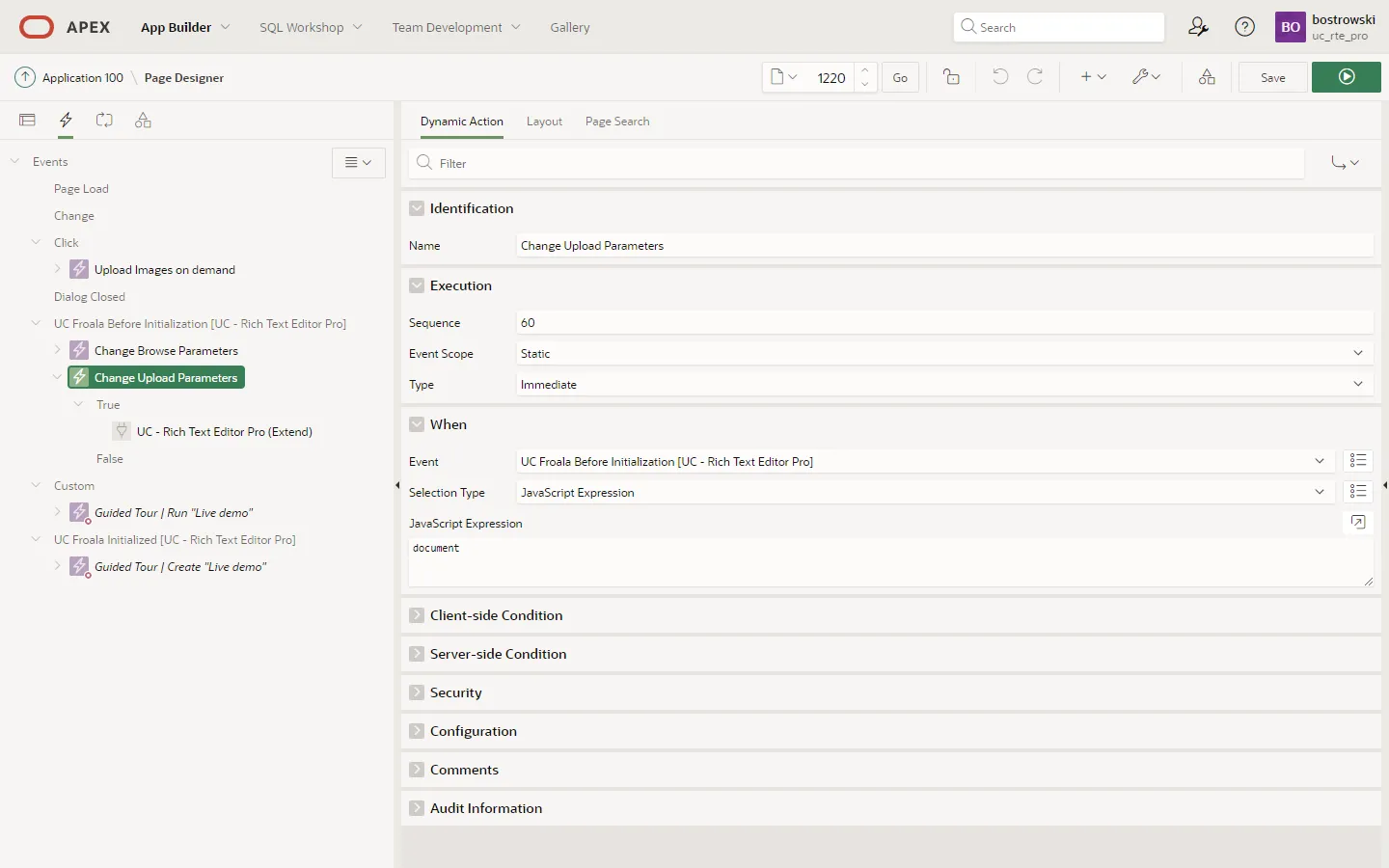
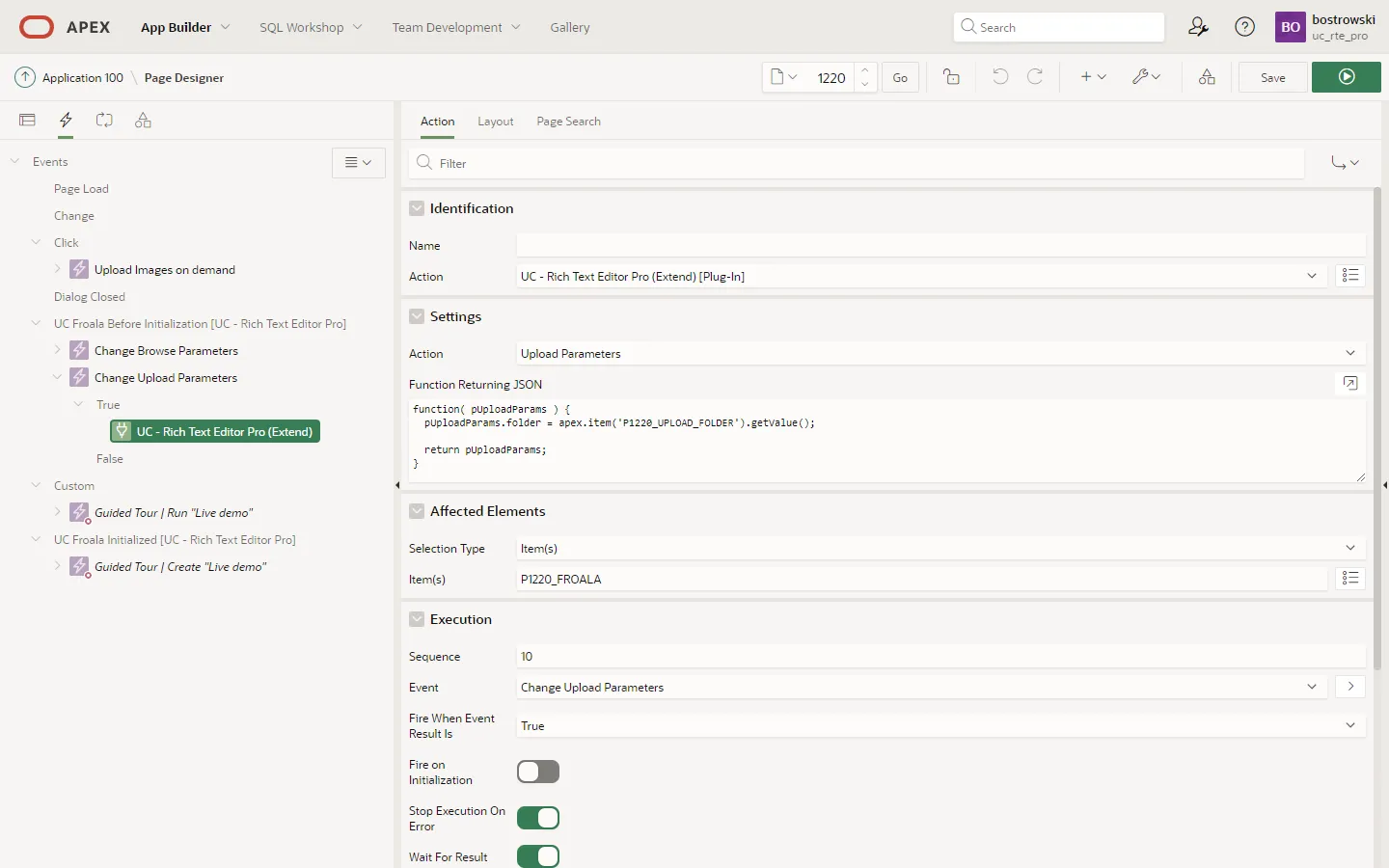
The example describes sample application page Image Upload Parameters implementing custom upload query parameter named folder using dynamic action named Change Upload Parameters.
- The dynamic action is executed when any page item trigger the plug-in event UC Froala Before Initialization.
- The true action implements attribute Function Returning JSON computing folder query parameter value as page item P1220_UPLOAD_FOLDER currently selected value. The true action attribute affected elements narrows customization only to page item P1220_FROALA.
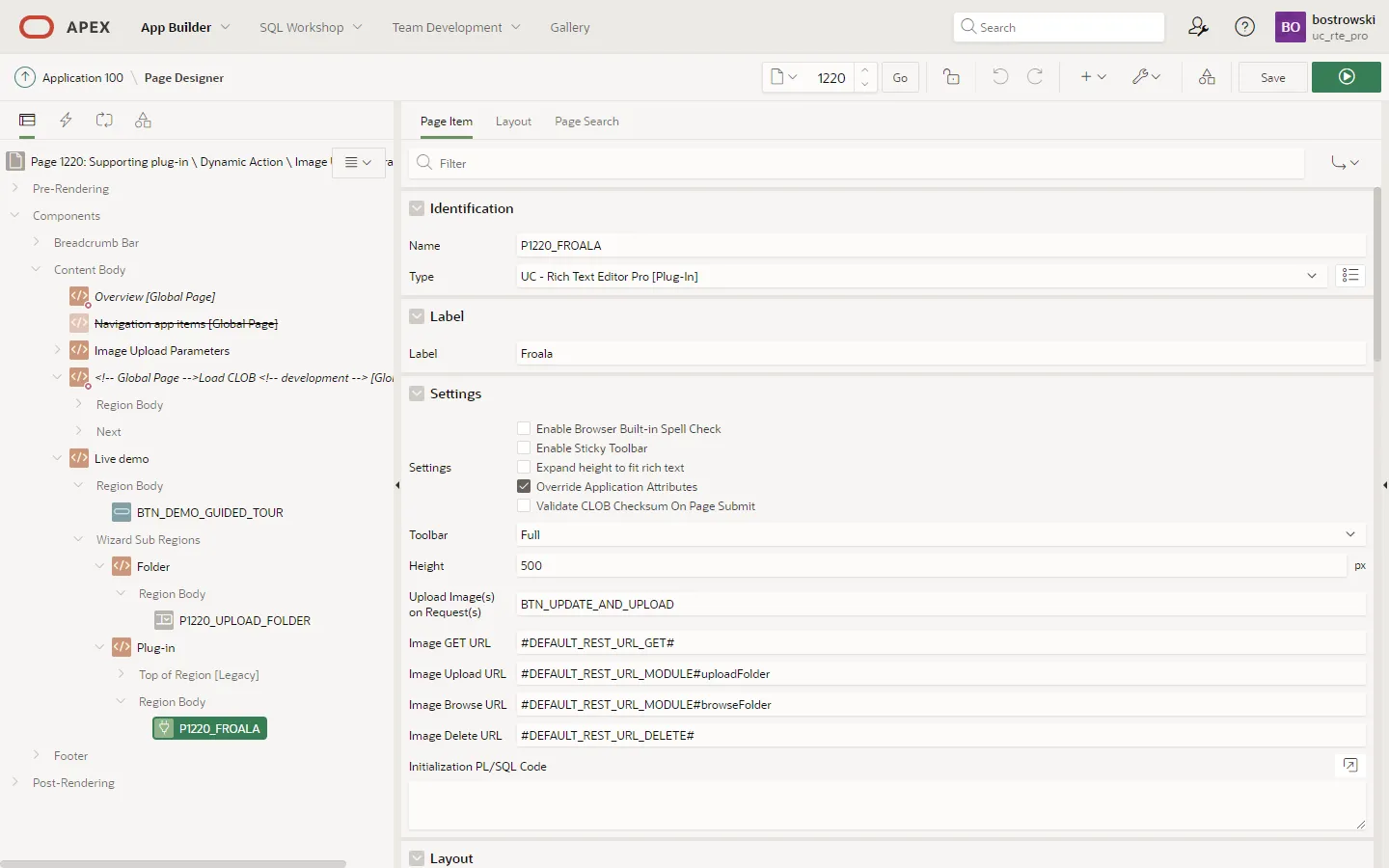
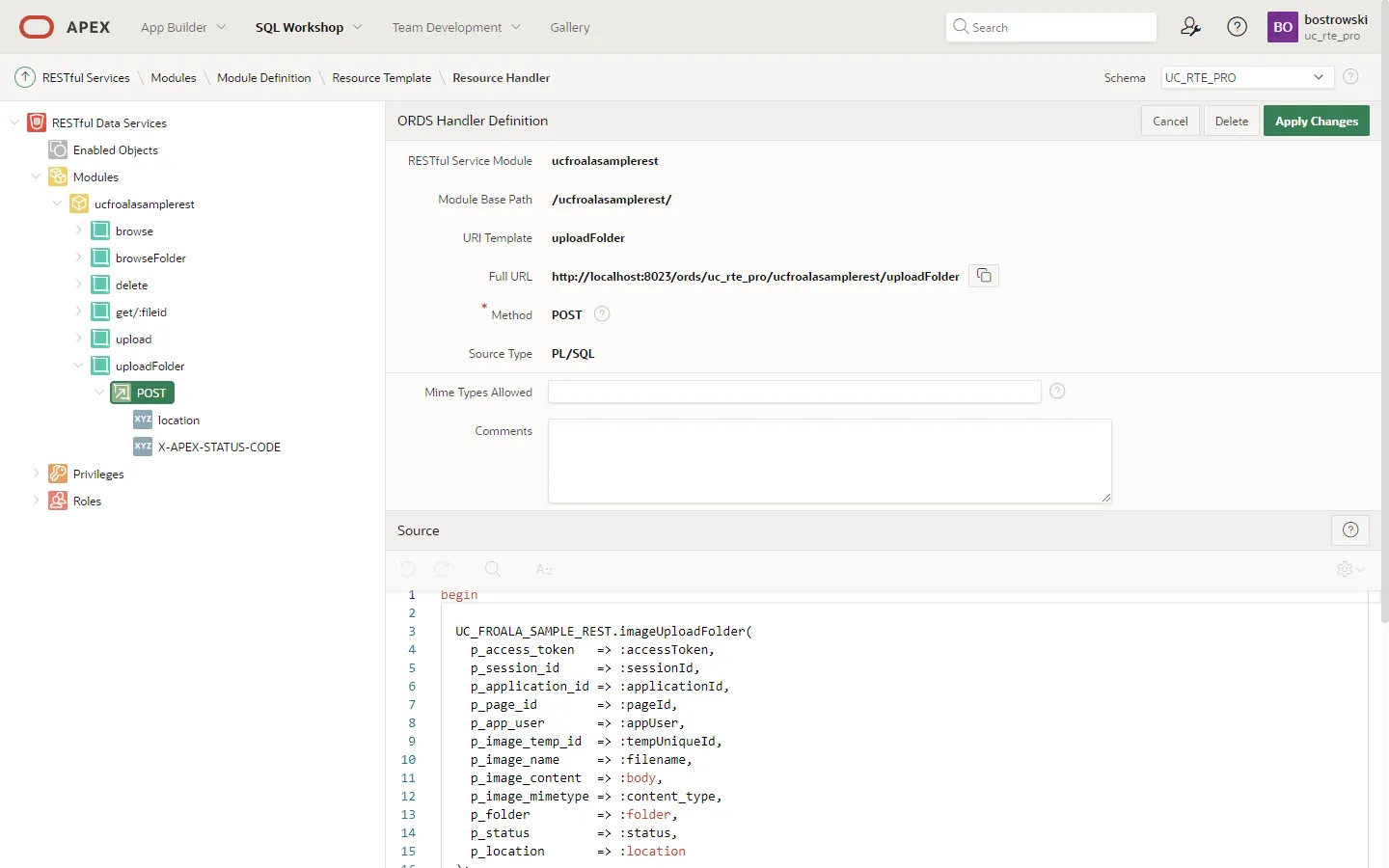
- The page item P1220_FROALA attribute Image Upload URL is used to reference sample REST handler uploadFolder. The uploadFolder handler reads query parameter using PL/SQL bind variable
:folder.
:::
- When custom upload parameters are not required to be dynamically computed, the page item standard attribute Initialization JavaScript Code can be used along with option imageuploadparams.
- Read about default query parameters here.
- Read about custom upload handler requirements here.
- Read about sample REST handlers here.
Function Returning JSON
Section titled “Function Returning JSON”The function only argument pUploadParams is JSON object describing plug-in default upload query parameters.
function( pUploadParams ) { // create a new custom parameter pUploadParams.customParamName = 'customParamValue'; return pUploadParams;}The custom upload query parameter can be referenced in upload REST handler using bind variable :customParamName.
Initialization JavaScript Code
Section titled “Initialization JavaScript Code”So far, the action upload parameters doesn’t use a dynamic action attribute Initialization JavaScript Code.
Image Browser Parameters
Section titled “Image Browser Parameters”The action image browser parameters uses a developer-specified anonymous JavaScript function returning custom browser query parameters used by a RESTful browse images handler. A custom parameters are accessible in the handler using PL/SQL bind variables.
| Attribute | Type | Description |
|---|---|---|
| Action | Select list | Must be set to Image Browser Parameters |
| Function Returning JSON | JavaScript Code | An anonymous JavaScript function returning custom query parameters as JSON object. |
:::note Example
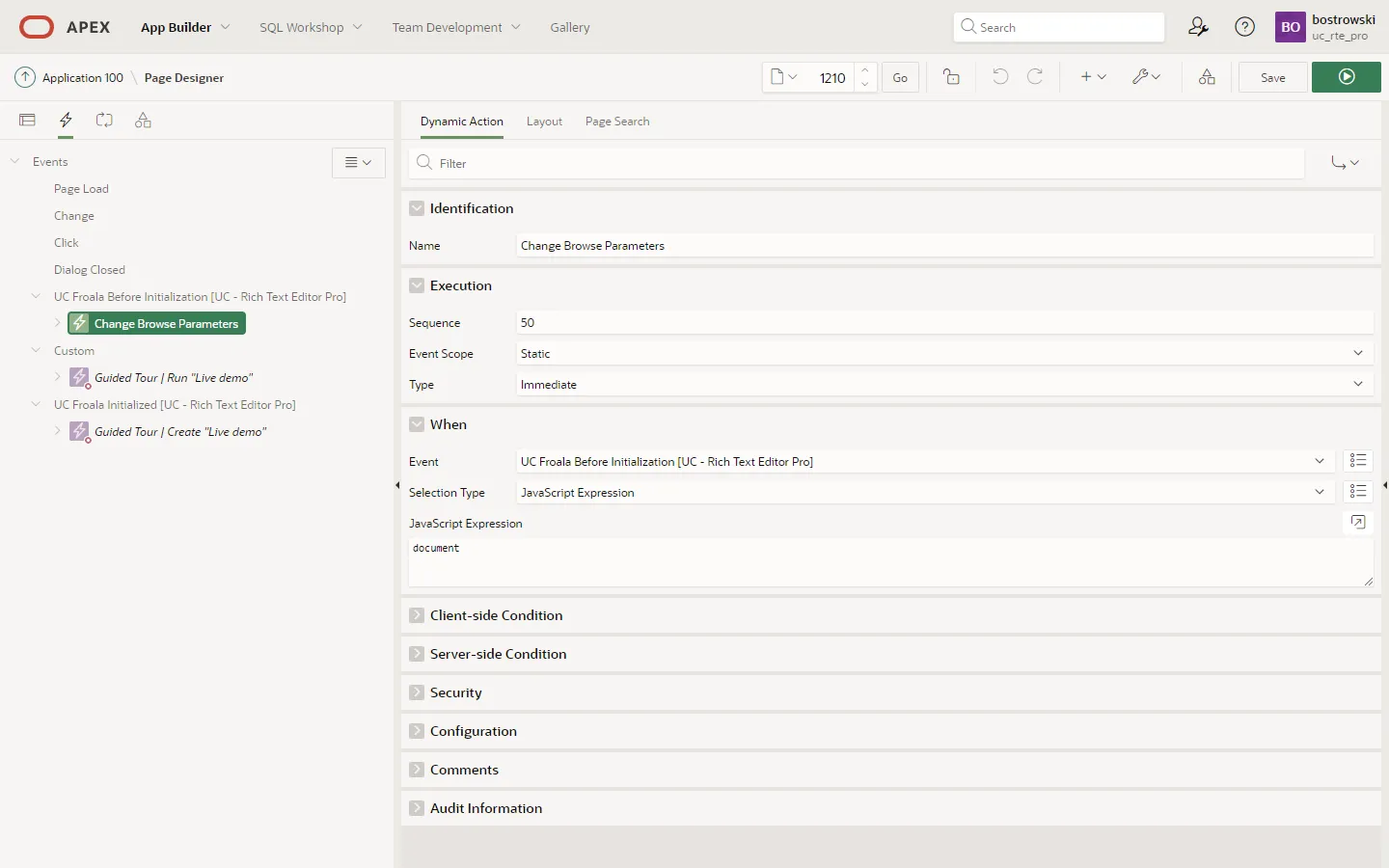
The example describes sample application page Image Browse Parameters implementing custom browse query parameter named folder using dynamic action named Change Browse Parameters.
- The dynamic action is executed when any page item trigger the plug-in event UC Froala Before Initialization.
- The true action implements attribute Function Returning JSON computing folder query parameter value as page item P1210_UPLOAD_FOLDER currently selected value. The true action attribute affected elements narrows customization only to page item P1210_FROALA.
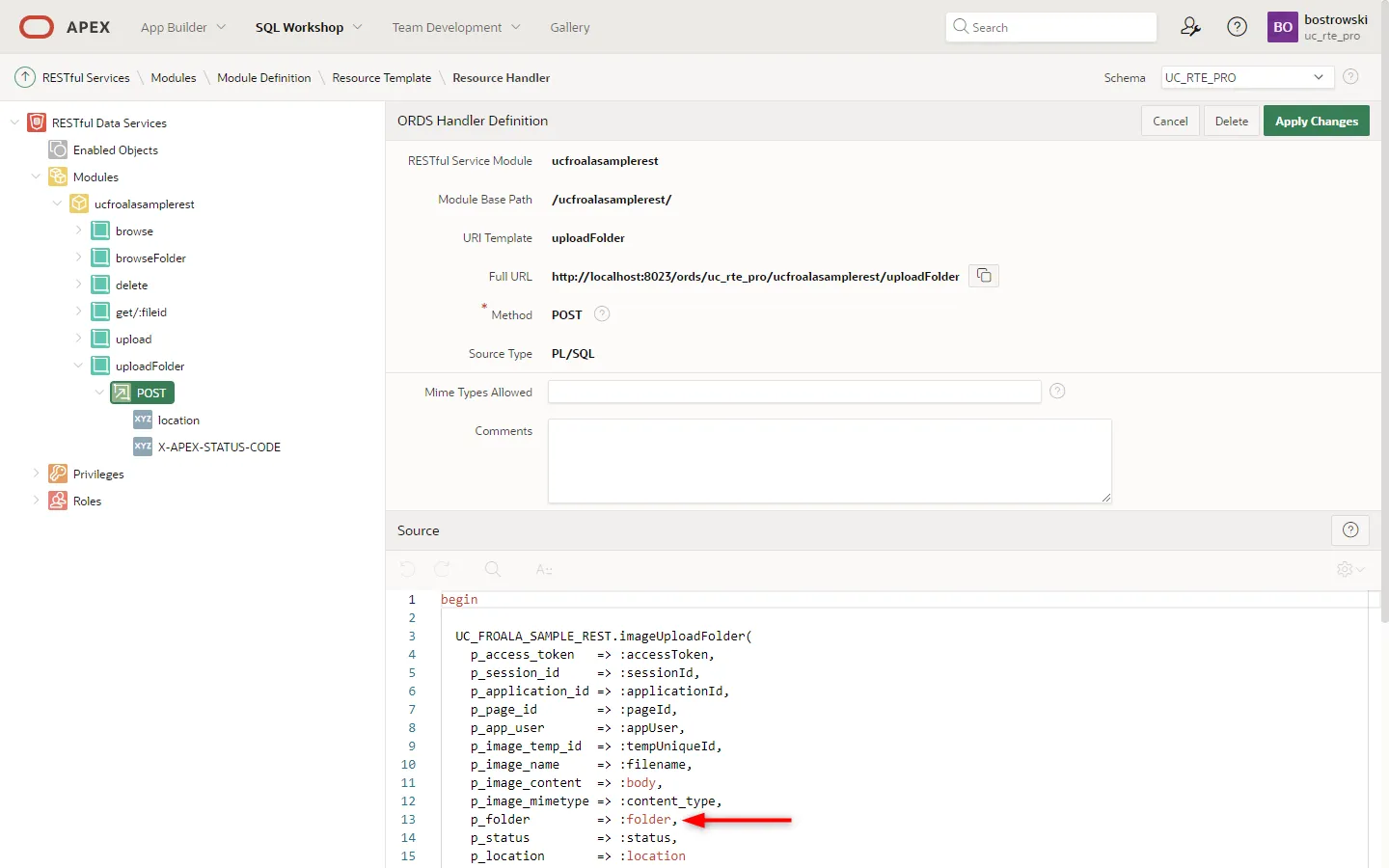
- The page item P1210_FROALA attribute Image Browse URL is used to reference sample REST handler browseFolder. The handler reads query parameter using PL/SQL bind variable
:folder.


:::
- When custom browse parameters are not required to be dynamically computed, the page item standard attribute Initialization JavaScript Code can be used along with option imagemanagerloadparams.
- Read about default query parameters here.
- Read about custom browse handler requirements here.
- Read about sample REST handlers here.
Function Returning JSON
Section titled “Function Returning JSON”The function only argument pUploadParams is JSON object describing plug-in default browse query parameters.
function( pBrowseImagesParams ) { pBrowseImagesParams.customParamName = 'customParamValue'; return pBrowseImagesParams;}The custom browser query parameter can be referenced in browse REST handler using bind variable :customParamName.
Initialization JavaScript Code
Section titled “Initialization JavaScript Code”So far, the action upload parameters doesn’t use a dynamic action attribute Initialization JavaScript Code.