Administration
Users with the ADMIN role get an Administration entry in the navigation menu. The deeper
subjects have guides of their own.
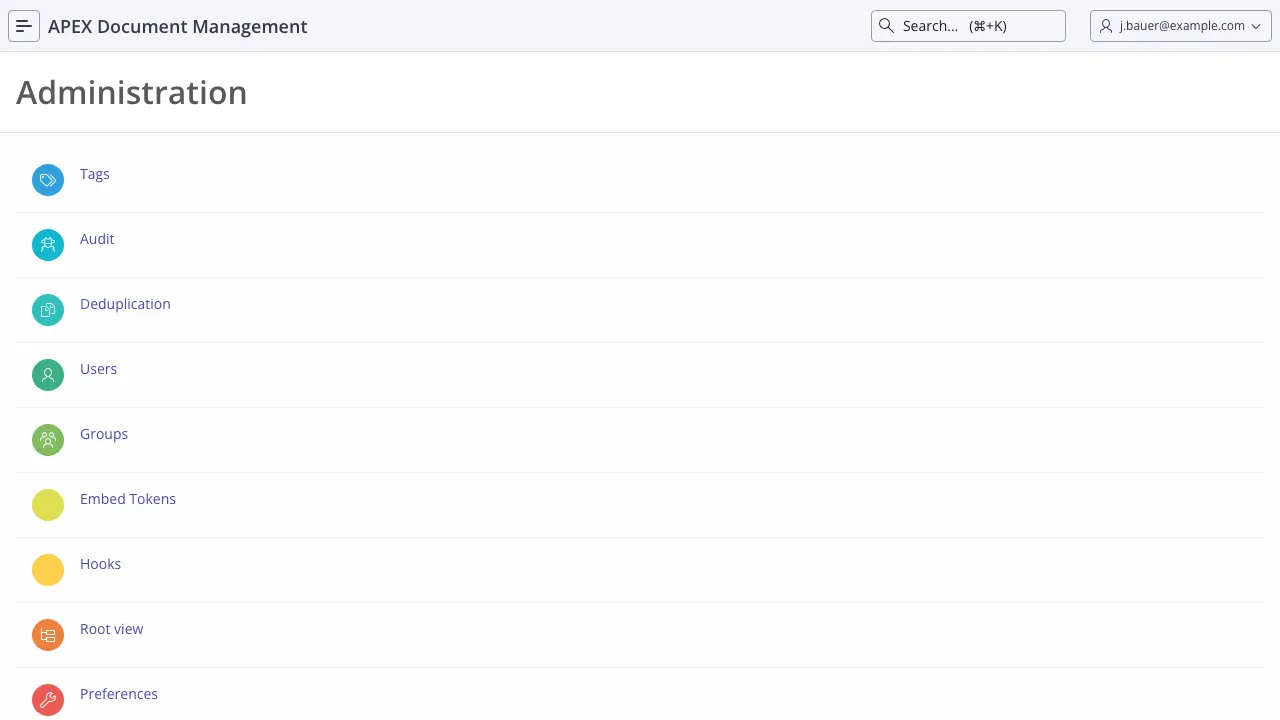
| Section | What it is for | Guide |
|---|---|---|
| Users | Create users, assign roles, activate and deactivate | Users and groups |
| Groups | Group membership, group folders, group tags | Users and groups |
| Root View | Browse the entire filesystem, regardless of ownership | below |
| Audit | Who did what, when | below |
| Deduplication | Find duplicate files | below |
| Settings | Every configurable value | Settings reference |
| Hooks | Register your own PL/SQL against product events | Hooks |
| Embed Tokens | Tokens that let another application render ADM content | Embedding |
| Job Log | Whether the scheduled maintenance is running | Jobs and maintenance |
| Tags | Tags and tag groups | Search and taxonomy |
| RAG Collections | AI Pack: collections, sync status, debugging | RAG configurations |
| AOE service logs | Diagnose failed Office edits | Editing documents |
Root View
Section titled “Root View”The Root View browses the whole filesystem — every user’s home folder, every group folder, every trash folder — as a tree.
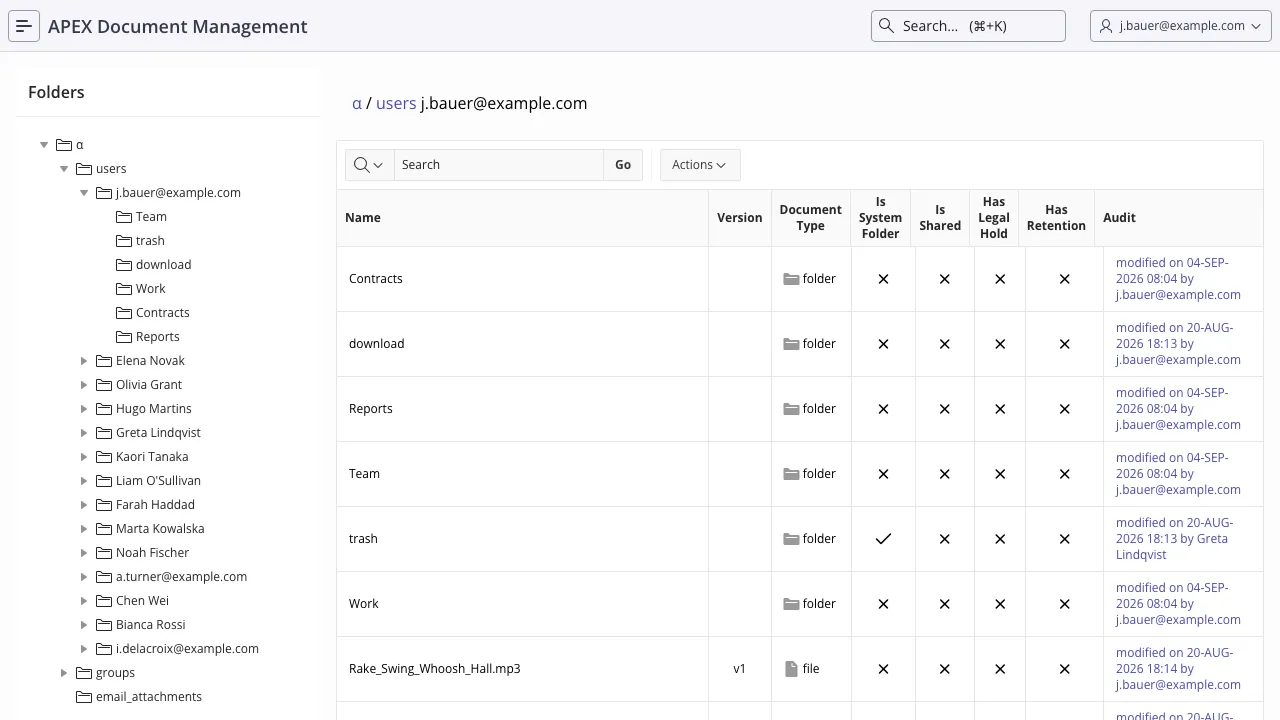
It is the tool for the questions ordinary navigation cannot answer:
- Where did this file actually end up?
- What is in a departed user’s home folder?
- Who is this folder shared with, before I move something into it?
- Which folders are system-managed? (They are flagged; see The filesystem.)
Clicking the audit column on any folder or file jumps straight to that object’s audit history.
Every consequential action is recorded in adm_audit_log: the action type, who did it (user_id),
when (action_date), which document or folder, and which channel they came through (user_access:
APEX, DB, REST or EMBED).
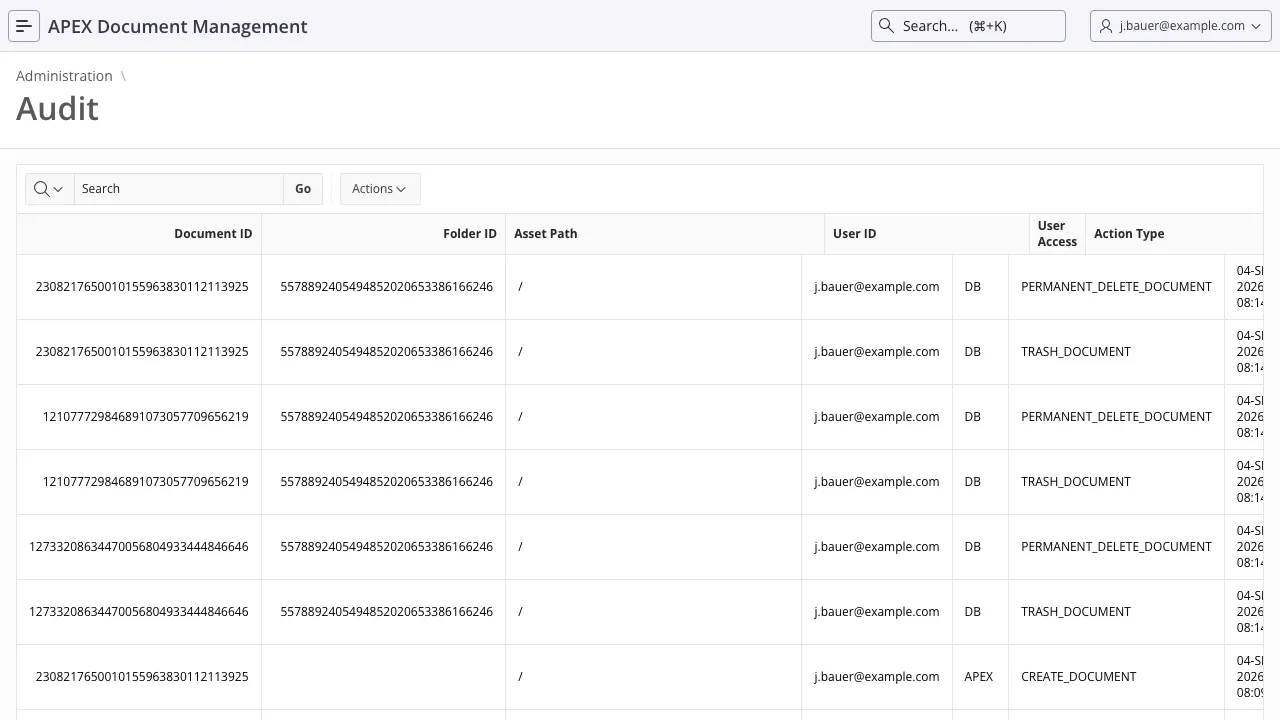
Around forty action types are recorded, covering:
- Documents — create, new version, delete version, restore version, rename, move, trash, restore, permanent delete
- Folders — add, rename, move, trash, restore, permanent delete, permission change
- Sharing — internal shares created and deleted, share links created, modified, and used
- Users and groups — user created, activated, deactivated; group created; members added and removed
- Records management — retention added and removed, legal hold placed and lifted, retention deletion carried out
- Tags — added, updated, removed
- Storage — object storage uploads and deletions
Reach it from Administration → Audit, or from the audit column of any row in the Root View.
For reporting, use
adm_report_audit_log_v,
which adds categorised actions and time-based fields:
-- everything one user did in the last weekselect action_date , action_type , user_access , document_name , folder_path , action_details from adm_report_audit_log_v where user_id = 'JDOE' and action_date > systimestamp - 7 order by action_date desc;Deduplication
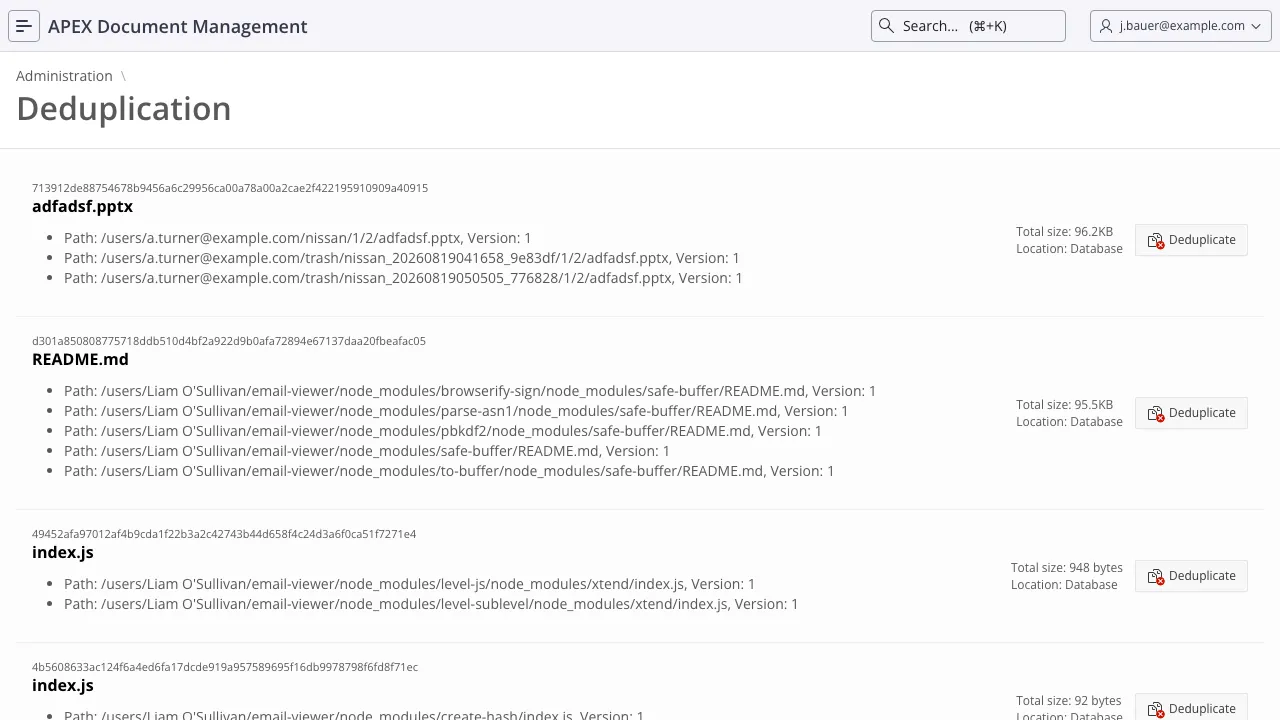
Section titled “Deduplication”The deduplication page finds files whose content is identical — same checksum — across the filesystem, which is how you recover the storage lost to the same attachment being uploaded by fifteen people.