
Sharing
ADM has three ways to give somebody access to a file:
| For | Access lasts | |
|---|---|---|
| Internal share | A user or group with an ADM account | Until revoked |
| Link share | Anybody holding the URL, no account needed | Until it expires or is deleted |
| Embed token | Another application rendering ADM inline | Until it expires or is revoked |
This page covers the first two. Embed tokens are in Embedding ADM into other applications.
Whichever you use, the recipient’s own role still applies on top: a VIEWER given EDIT on a
document still cannot change it. See
The security model.
Sharing with users and groups
Section titled “Sharing with users and groups”Pick Share from the row menu of a document or a folder, choose the users and groups, and pick the level.
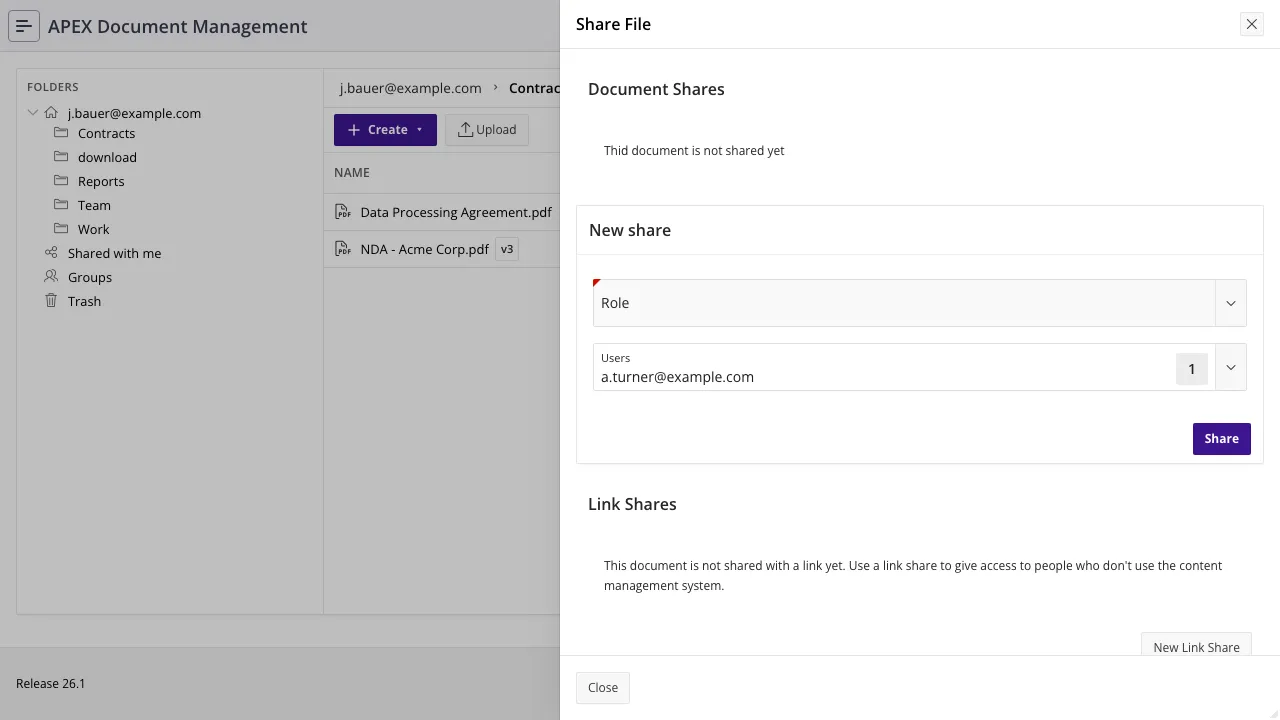
| Level | The recipient may |
|---|---|
VIEW | Open, preview and download. |
EDIT | Everything in VIEW, plus upload new versions, rename, and share it onward. Deleting it needs ownership. |
Folder shares carry down the whole subtree
Section titled “Folder shares carry down the whole subtree”Sharing a folder shares everything in it, at any depth, now and in the future. A file added to a subfolder tomorrow is accessible to everyone the parent was shared with today.
From PL/SQL
Section titled “From PL/SQL”Both procedures take colon-separated id lists, so one call can share with several users and
groups at once. Pass null for the dimension you are not using.
begin  adm_context_api.system_user_login('JDOE');
  -- with two users and one group, read-only  adm_shares_api.share_document(    p_document_id => l_document_id  , p_user_ids    => '1001:1002'  , p_groups_ids  => '55'  , p_share_role  => adm_access_control_api.c_view  );
  -- a whole folder, editable, with one group  adm_shares_api.share_folder(    p_folder_id  => l_folder_id  , p_user_ids   => null  , p_groups_ids => '55'  , p_share_role => adm_access_control_api.c_edit  );
  commit;end;/
Use adm_access_control_api.c_view / c_edit rather than typing 'VIEW' and 'EDIT'.
Seeing and revoking shares
Section titled “Seeing and revoking shares”adm_document_shares_v and adm_folder_shares_v resolve the share rows to usernames and group
names:
select doc_share_id , username , group_name , share_role , created_by , created_date from adm_document_shares_v where document_id = :document_id;Anyone with edit rights on a document or folder may share it onward — sharing does not require
ownership. A recipient of EDIT can therefore extend access to others.
Revoke one share by its id:
adm_shares_api.delete_share_document(p_doc_share_id => l_doc_share_id);adm_shares_api.delete_share_folder(p_folder_share_id => l_folder_share_id);For reporting across the whole system, use
adm_report_document_shares_v
and
adm_report_folder_shares_v.
Deleting revokes; renaming does not
Section titled “Deleting revokes; renaming does not”When a document or folder is trashed or deleted, ADM revokes everything that was handed out for it: internal shares, link shares, and embed tokens pointing at its path. Access checks would refuse a trashed document anyway, but leaving the grants behind would mean they come back to life if it is restored — and a stale embed token keyed on a path would start serving whatever is created at that path next.
A rename or move drops the embed tokens for the old path, because those are keyed on the path rather than the id, and leaves internal shares alone.
Public link shares
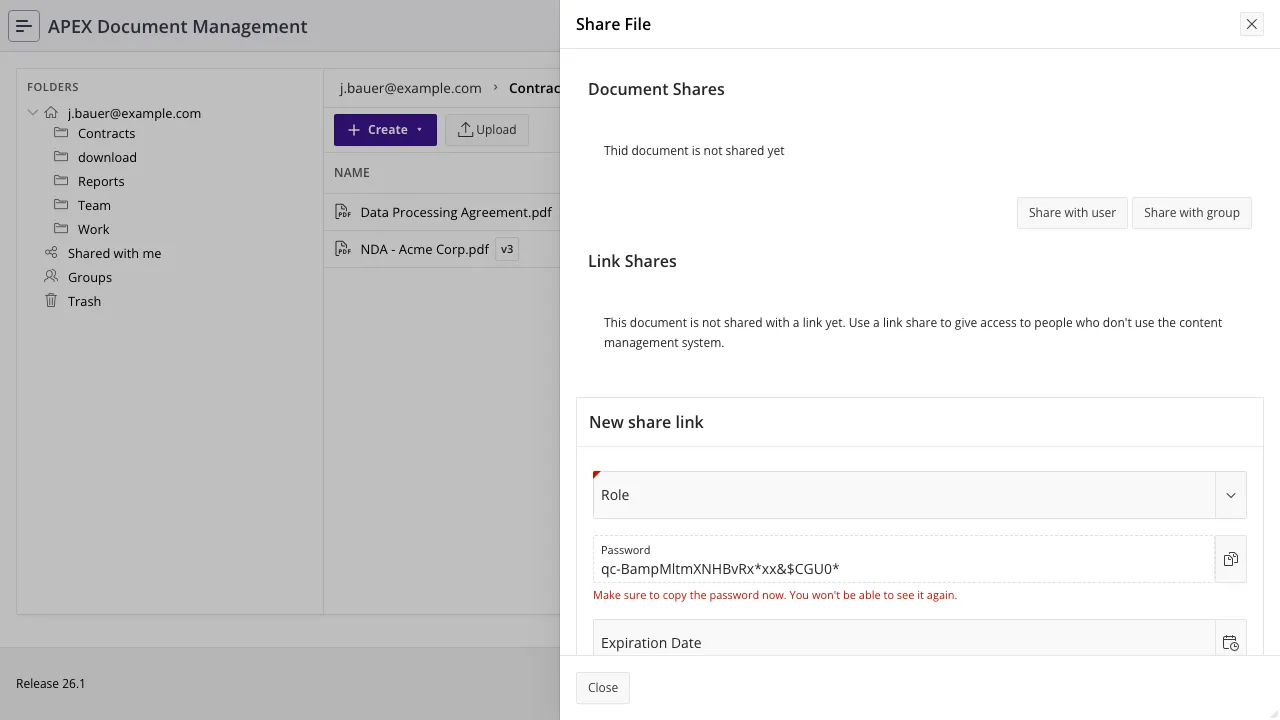
Section titled “Public link shares”A link share is a URL that grants access to one document, to whoever holds it, with no ADM account involved. Optionally protected by a password, and optionally with an expiry date.
begin  adm_context_api.system_user_login('JDOE');
  adm_link_shares_api.create_document_link_share(    p_document_id     => l_document_id  , p_expiration_date => systimestamp + interval '7' day  , p_share_role      => adm_access_control_api.c_view  , p_password        => 'a-shared-secret'  );
commit;end;/- The password is stored as a hash, never as text. It is checked by
adm_link_shares_api.check_credentials, which is what the share entry page calls. p_expiration_datemay be null, which means the link never expires. Do not do that by default.p_share_roleisVIEWorEDIT. AnEDITlink lets an anonymous holder upload a new version of your document.adm_link_shares_api.get_share_urlturns the token into the URL you hand out.
An existing link’s expiry and level can be changed with modify_document_link_share; the URL and
token stay the same.
To withdraw a link, remove it in the application’s link-share dialog. There is no dedicated API
procedure for deletion, so from your own code that means deleting the row from
adm_document_link_shares — the one place where a direct DML statement against an adm_ table is the
only option. Trashing or deleting the document revokes its links automatically.
Choosing between them
Section titled “Choosing between them”- The recipient has an ADM account → internal share, and prefer a group.
- The recipient is external, one document, time-limited → link share with an expiry and a password.
- Another application should show ADM content inline → embed token.
- Everyone in a department should have a shared working area → not a share at all. Give them a group folder: see Users and groups.
Also refer to
Section titled “Also refer to”- The security model
- Embedding ADM into other applications
- The filesystem
adm_shares_api— andadm_link_shares_apifor the link-share calls